Display Settings
The izeltlabuak.hu website primarily focuses on arthropods found in Hungary. This entry also deals with Hungarian fauna.
Overview
With display settings, you can customize how list items appear in different views and filter them according to various criteria.
Availability
Display settings are located at the top of list pages.
- observation pages: on the page of observations belonging to a taxon of Hungarian arthropods and a user's observations list
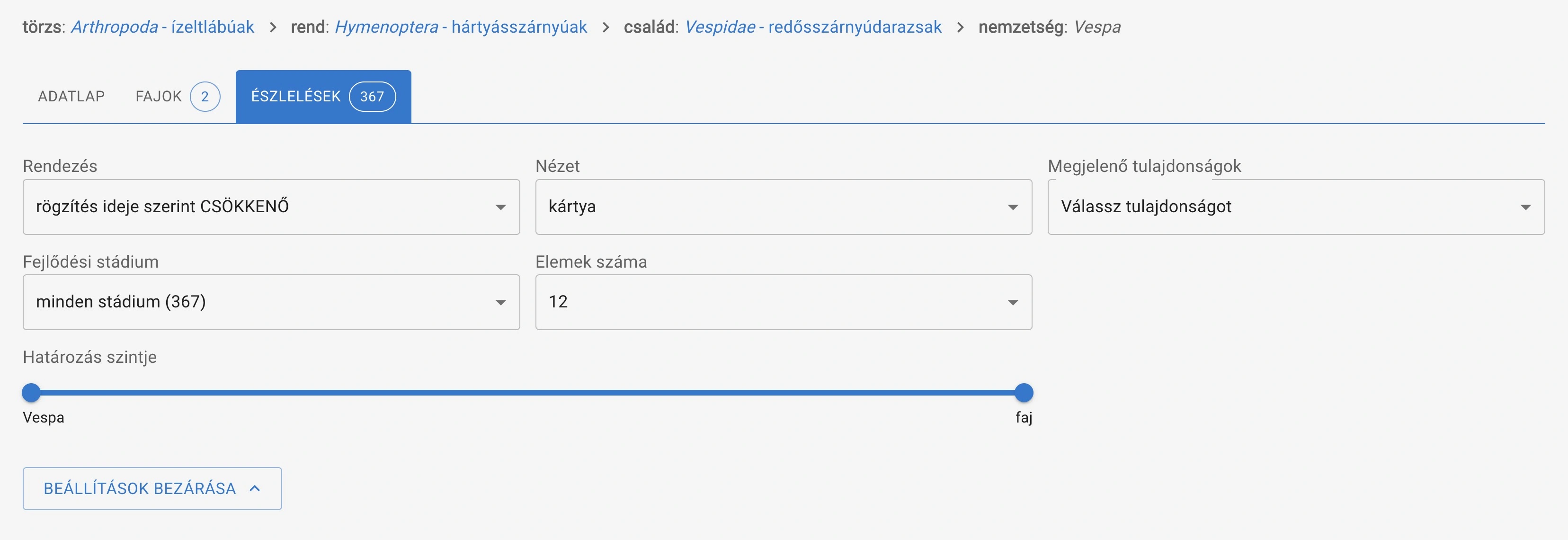
Example: display settings for all Vespa genus observations
- category overview pages: on the Hungarian arthropods category overview pages and user category overview pages.
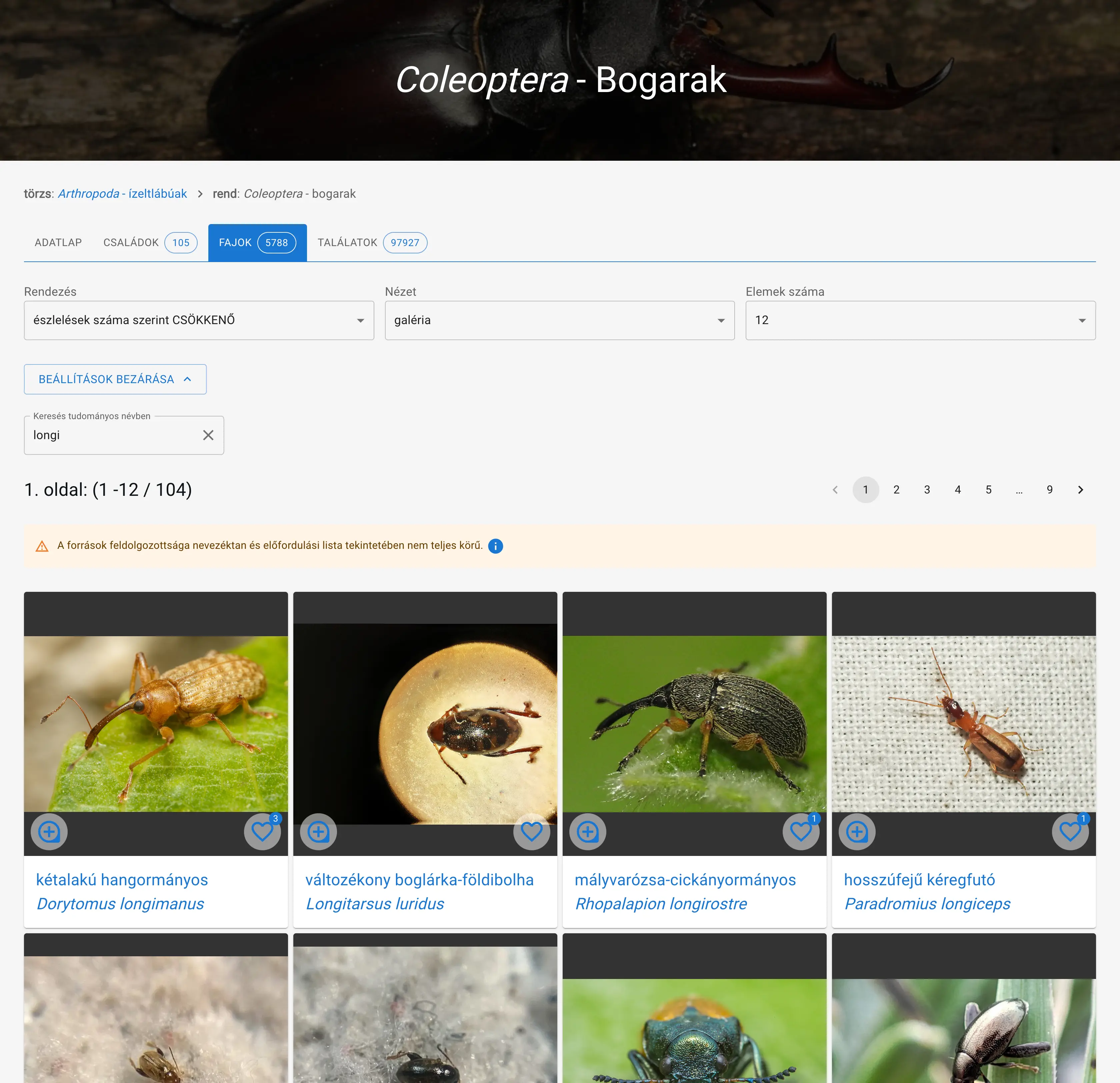 Display settings and search on the beetle species list searching by scientific name
Content
Sorting
You can set the order of list items in ascending or descending order according to different criteria.
Persistent, so if you set it once, the same order will apply when loading similar pages next time.
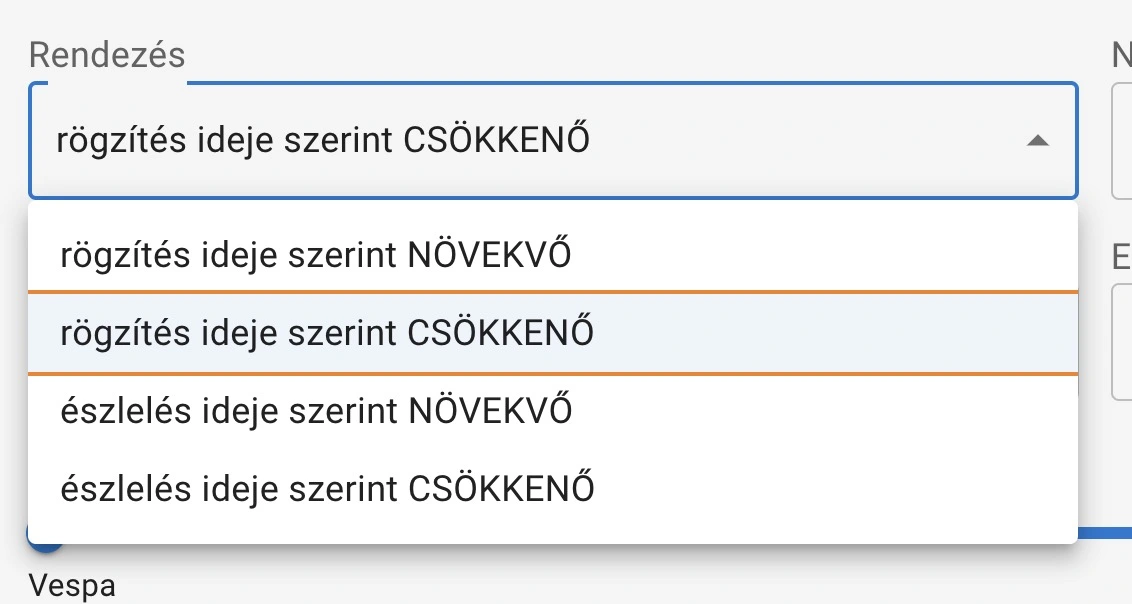
- observation pages:
- by recording time
- by observation time
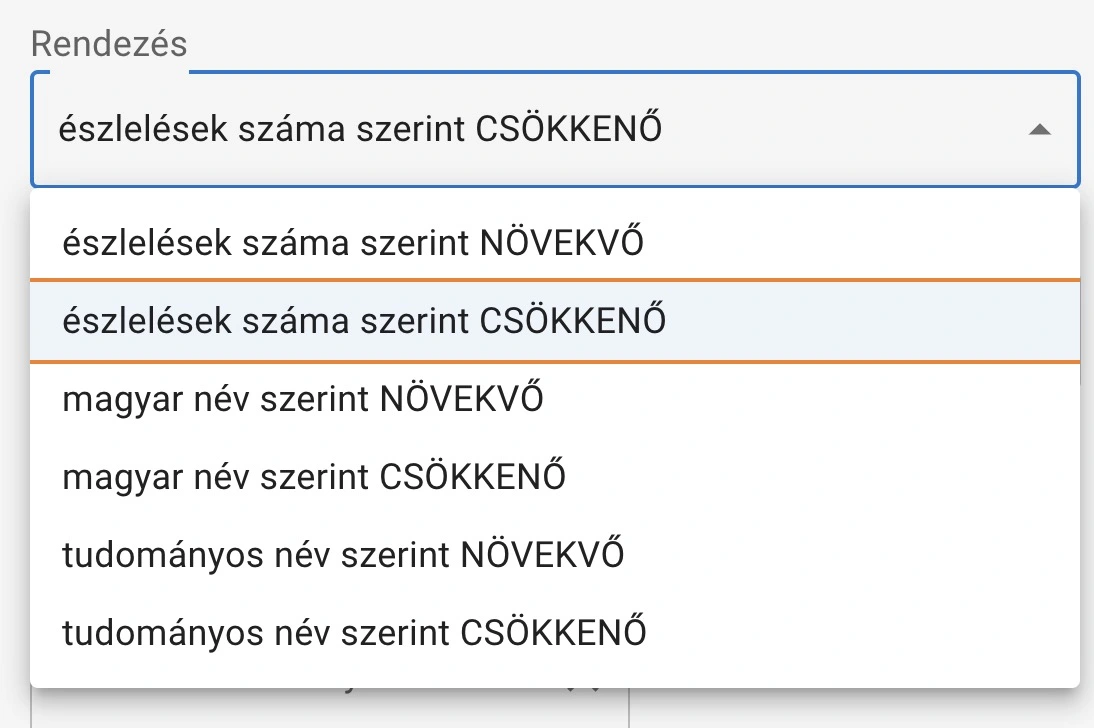
- category overview pages:
- by Hungarian name
- by scientific name
- by number of observations
- by number of families
- by number of genera
- by number of species (for taxa above species level)
View
You can choose the display mode from the following options:
Persistent, so if you set it once, the same view will apply when loading similar pages next time.
- List view: List items appear in compact list format, taking up less space
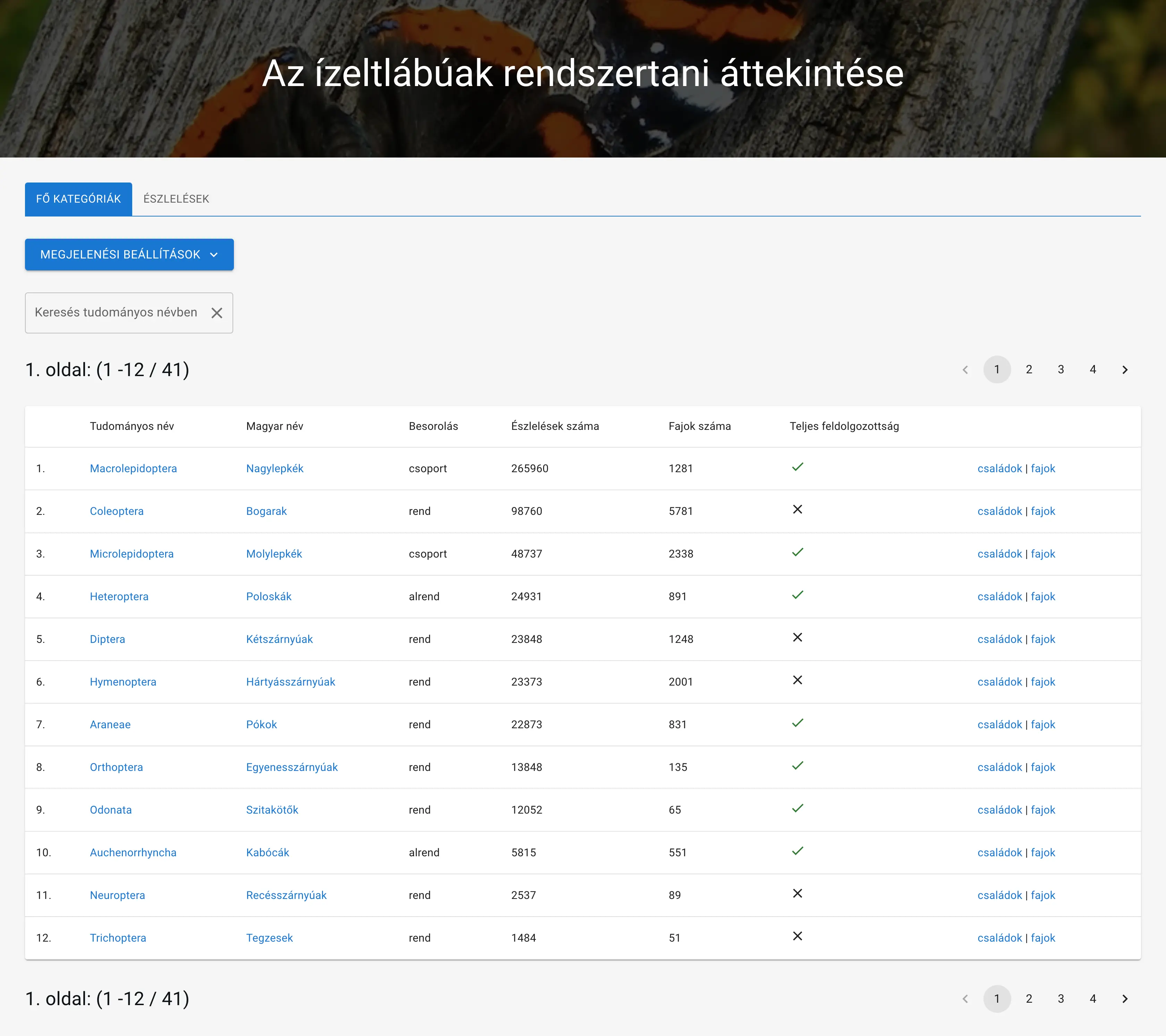
Example list view: main categories
- Card view: In the form of larger cards, with more detailed information and larger images
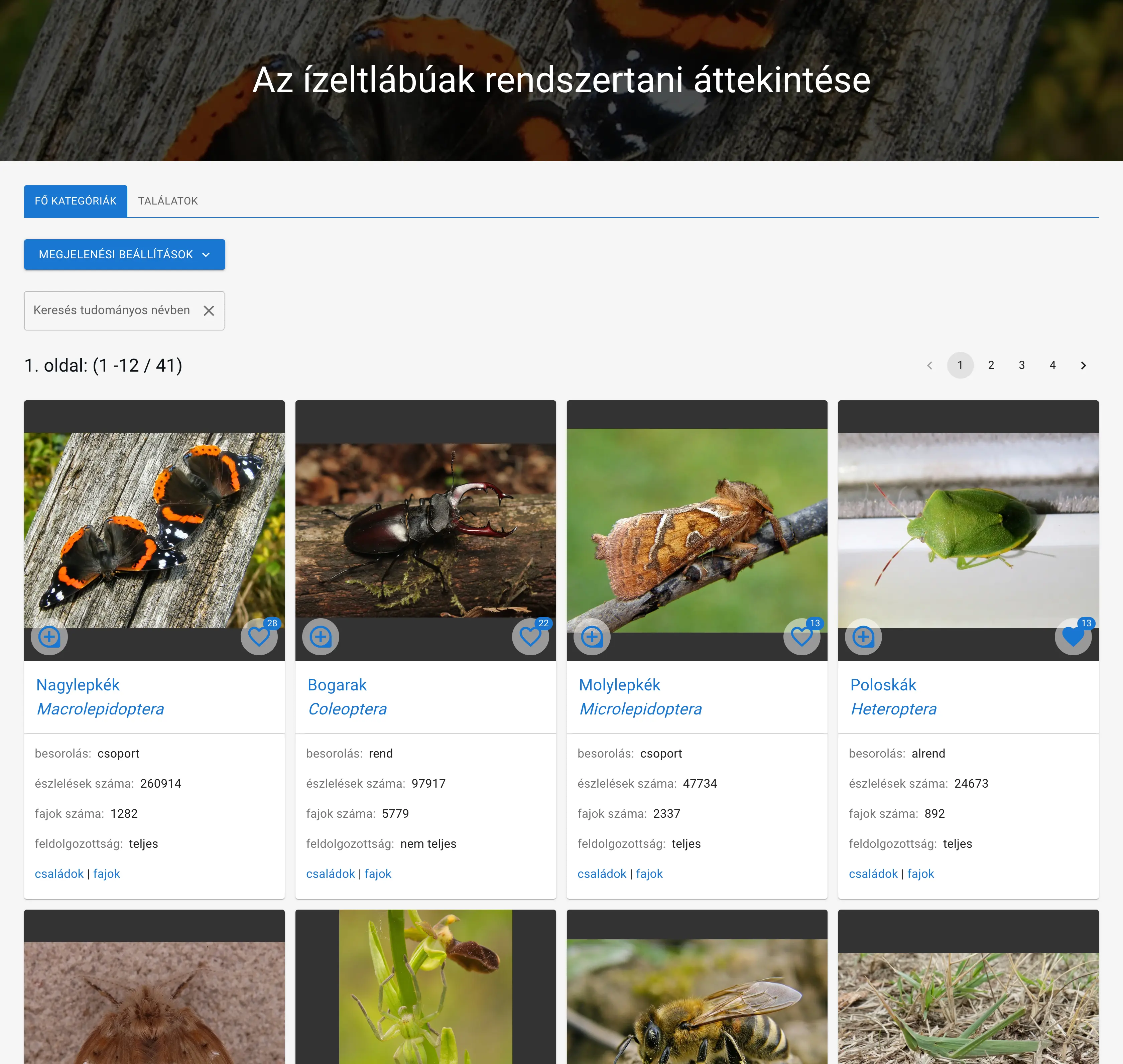
Example card view: main categories
- Gallery view: Similar to card view, but with less displayed information
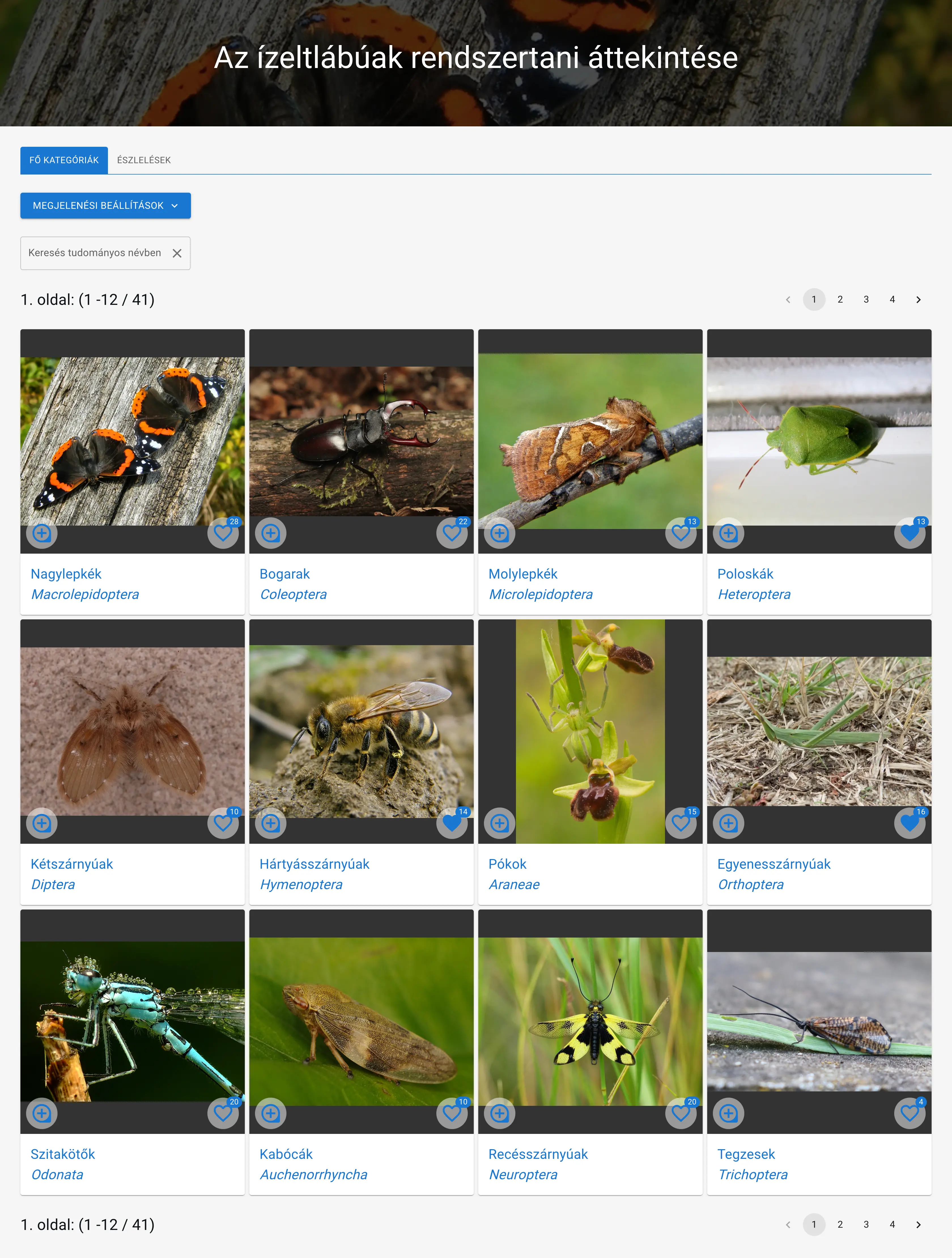
Example gallery view: main categories
- Tree view: Structured display of higher arthropod categories. Only available on the main categories page
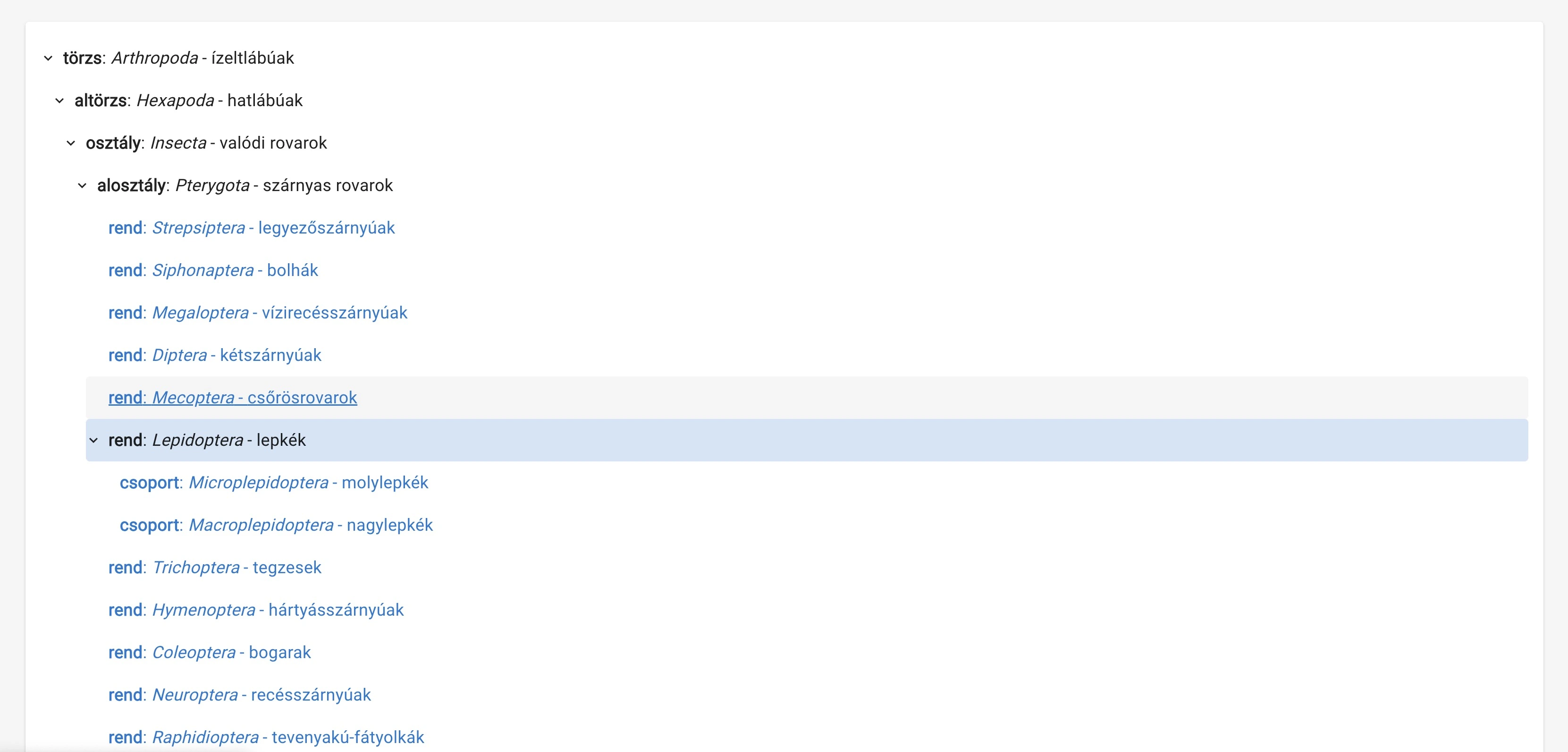
Example tree view: main categories
Display Properties
You can set the display properties of list items according to different criteria.
Persistent, so if you set it once, the same display properties will apply when loading similar pages next time.
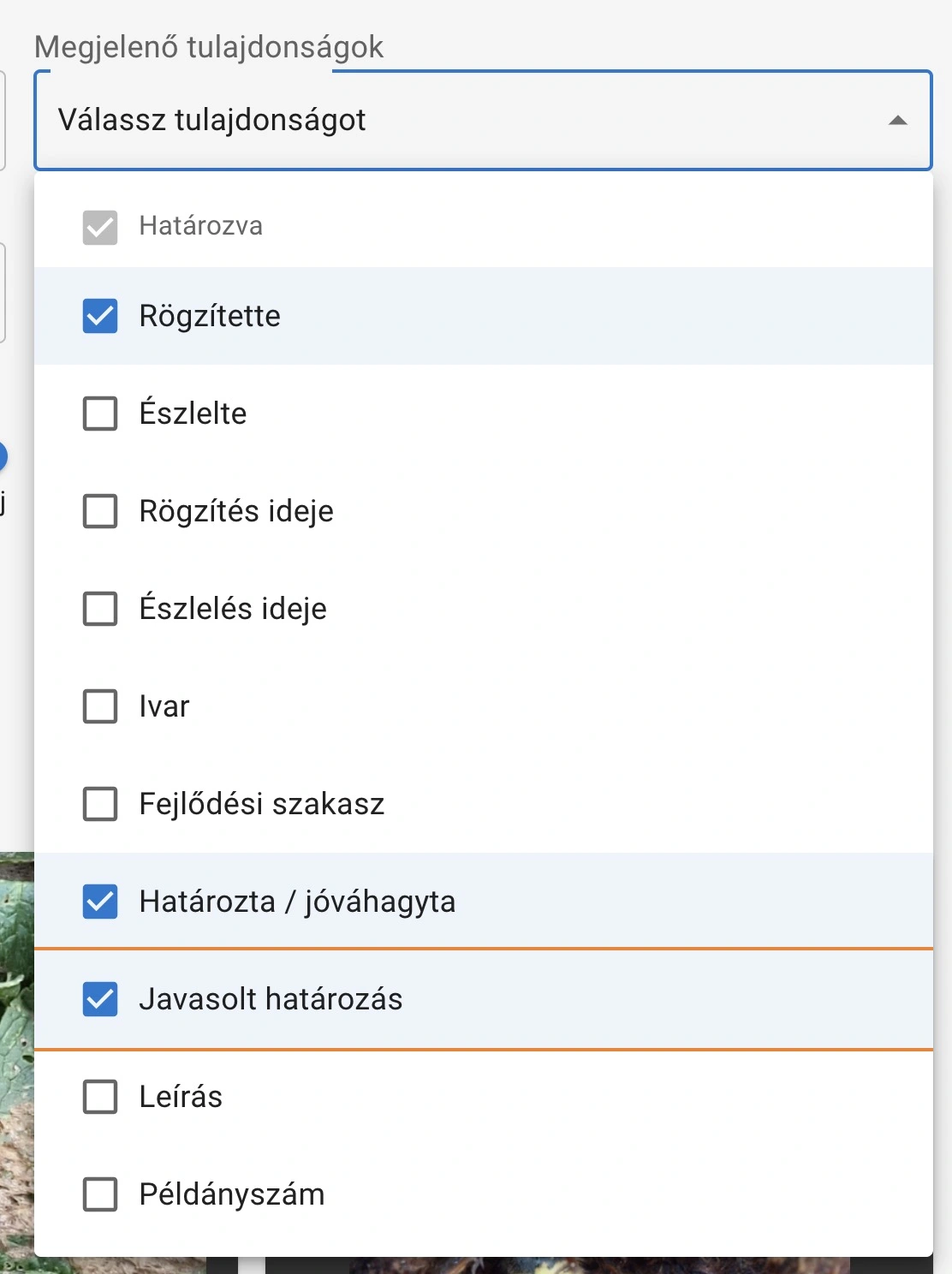
- observation pages:
- Identified - the identification given to the observation. Always displayed.
- Recorded by - the user who recorded the observation
- Observed by - the observer's name or names
- Recording time - the time when the observation was recorded
- Observation time - the time of the observation
- Sex - the sex of the observed animal, as given during identification
- Developmental stage - the developmental stage of the observed animal, as given during identification
- Identified / approved by - the name of the user who identified or approved the observation
- Suggested identification - the suggested identification given to the observation
- Description - the description of the observation
- Sample count - the number of observed animals
- category overview pages:
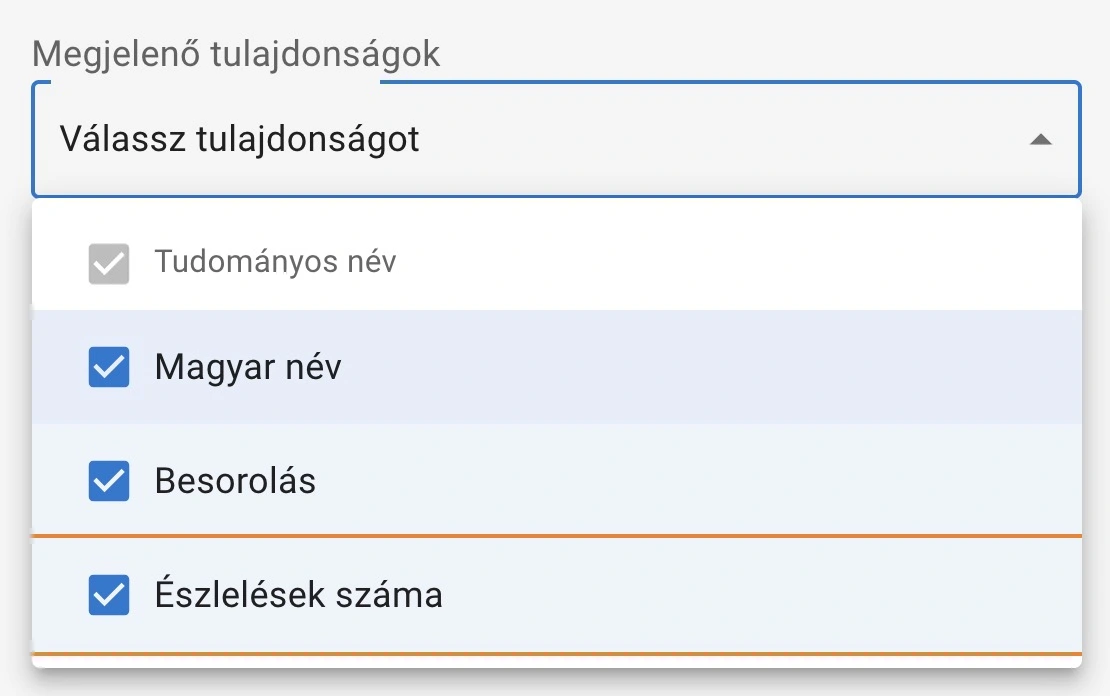
- Scientific name - the scientific name of the taxon. Always displayed.
- Hungarian name - the Hungarian name of the taxon
- Classification - the classification of the taxon (order, family, genus, ...)
- Number of observations - the number of observations belonging to the taxon
Number of Elements
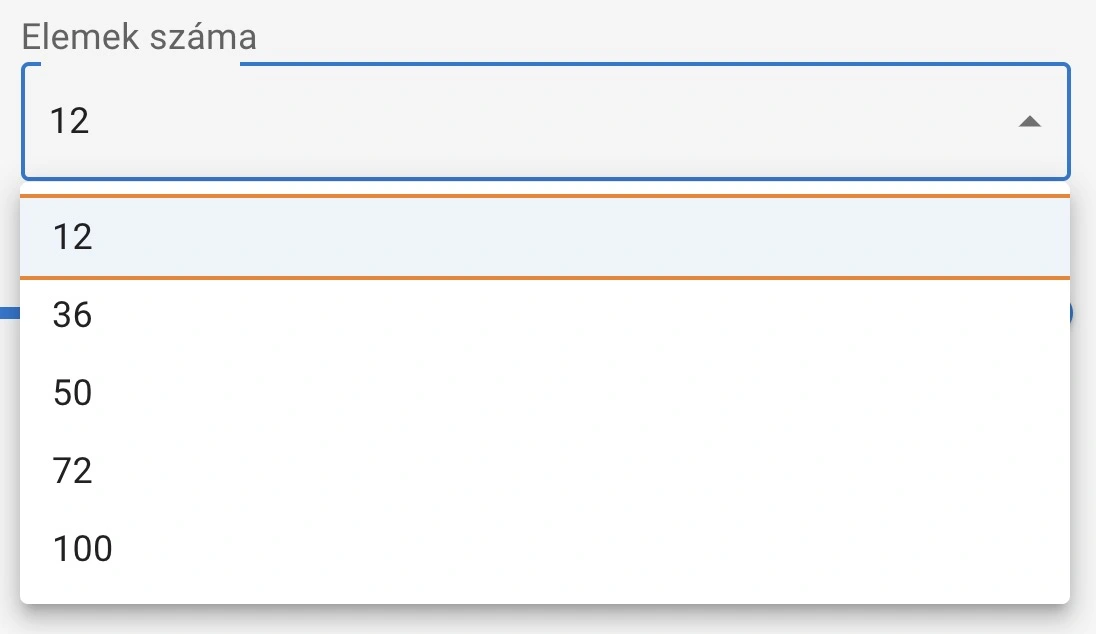
You can set how many observations or taxa appear on a page:
- 12 elements
- 36 elements
- 50 elements
- 72 elements
- 100 elements
Persistent, so if you set it once, the same number of elements will apply when loading similar pages next time.
number of elements
Developmental Stage
Setting available on observation pages.
We display those developmental stages in the selection list to which at least one of the observations belongs.
Next to the list items, we show with numbers how many observations belong to the given stage.
Not persistent, so if you set it once, it will not apply when loading similar pages next time.
Possible values:
- All stages
- Egg
- Larva
- Caterpillar
- Pupa
- Adult
- ...

Example: changing developmental stage on the Iphiclides podalirius - swallowtail observations page
Identification Level
Setting available on observation pages.
When filtering by identification rank, we can set on a slider which taxonomic category the observations should be identified to.
For all observations, for example, the slider elements are:
- - (no identification provided)
- main categories
- family
- genus
- species
Interval setting: If we set the family - species interval, it means that those observations will be listed that are identified at least to family rank, but those identified to genus or species rank are also included.
Selecting one element: It is also possible to select only one element. For example, if we only select species, we can see species-level observations. For example, all species-level identified Sphingidae - hawkmoths can be found here.
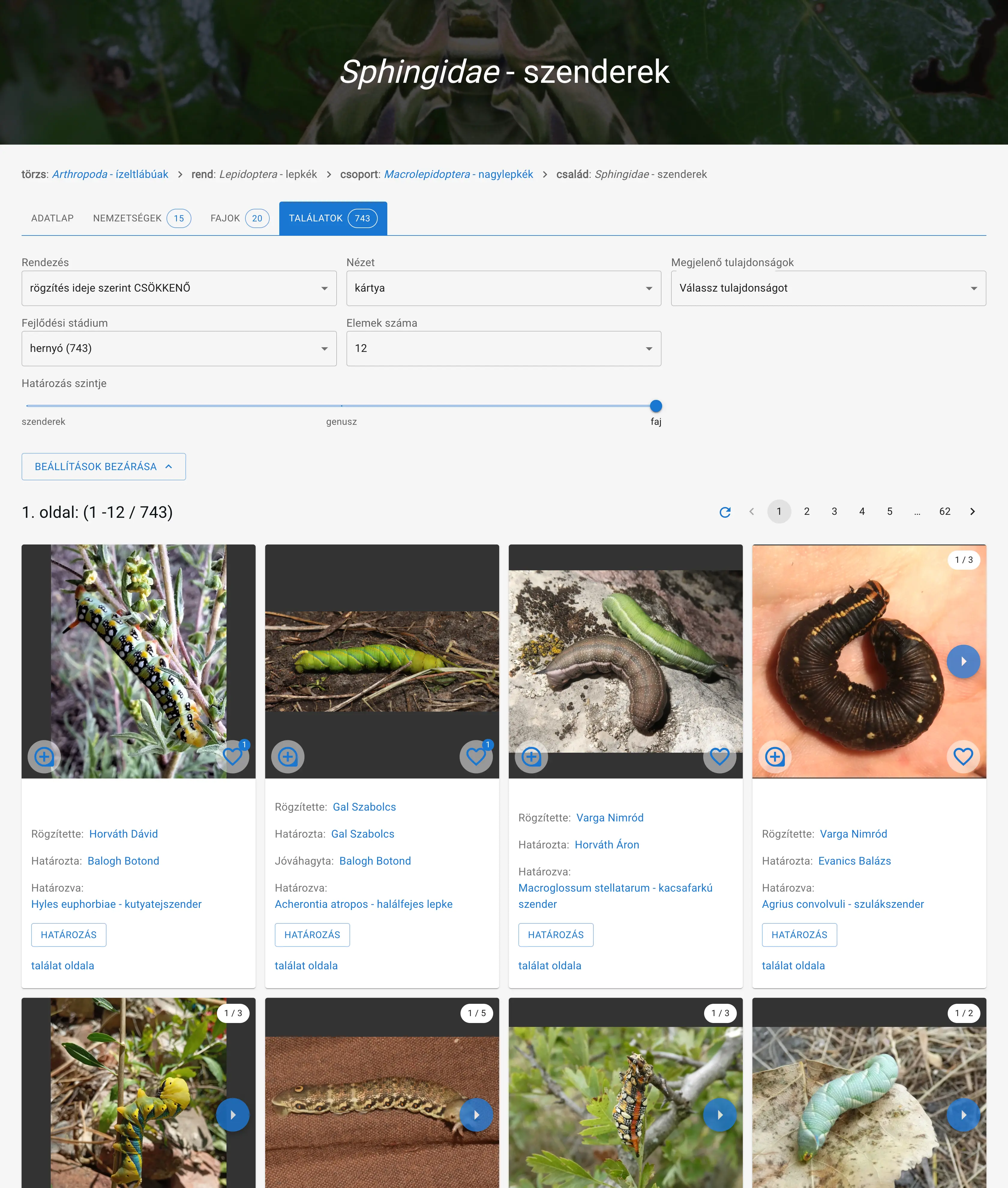 All species-level identified Sphingidae - hawkmoth caterpillar observations